Laptop displaying secure ecommerce checkout page with online payment details, order summary, and total cost on a desk with calculator, receipt, and office items.

Tax Price Calculator: Calculate Final Price with Tax

Every time you sell a product, send an invoice, or list an item on an online marketplace, one number matters more than any other: the final price your customer actually pays. Get the tax calculation wrong, and you either absorb a loss or confuse (and possibly lose) the buyer. This guide walks you through exactly how a tax price calculator works, breaks the math into clear steps, and shows you how to arrive at the correct tax-inclusive price every single time.

Content authorBy Beata ČepėPublished onReading time9 min read

What You'll Learn

Whether you're a small business owner pricing goods for a new market, a marketplace seller expanding across borders, or simply someone who wants to double-check a receipt, this article covers the core formula behind every final price calculator, the difference between tax-exclusive and tax-inclusive pricing, real-world worked examples, and the common mistakes that lead to costly errors. By the end, you'll be able to calculate tax on any transaction with confidence.

Tax Price Calculator Definition

A tax price calculator determines the total amount a buyer pays by adding the applicable tax to the net (pre-tax) price of a product or service. The core formula is: Final Price = Net Price × (1 + Tax Rate). To extract the net price from a tax-inclusive price, divide by (1 + Tax Rate). It applies to sales tax, VAT, GST, and any other consumption-based tax worldwide.

How Tax on a Purchase Price Actually Works

Before touching a calculator, it helps to understand what tax on a price really represents. In most countries, a consumption tax (sales tax in the US, VAT in the EU and UK) is a percentage added to the net price of a good or service. The seller collects it from the buyer, then remits it to the government.

The concept is straightforward, but the execution gets tricky when tax rates differ by jurisdiction, when you sell cross-border, or when a listed price already includes tax. For an in-depth breakdown, review the Retail Tax Calculator: How to Compute Sales Tax Fast, which explains application in both US and international contexts.

Here's the core distinction you need to keep in mind:

  • Tax-exclusive price: the price before tax is added. Common in US retail, where shelf prices don't include sales tax.

  • Tax-inclusive price: the price that already contains tax. Standard in most EU countries, the UK, Australia, and many others.

Knowing which type of price you're starting with determines which formula you use. Let's break both down.

Learn the Basic Tax Price Calculator Formula

The foundation of every tax price calculator is a single, clean equation. If you know the net price (before tax) and the tax rate, you can find the final price in seconds.

Final Price = Net Price × (1 + Tax Rate)

For example, if a product costs €50.00 before tax and the VAT rate is 20%, the calculation looks like this:

€50.00 × 1.20 = €60.00

That €60.00 is your tax-inclusive price, the amount the customer pays at checkout.

Here's a quick-reference list of the variables:

  • Net price: the cost of the product or service before any tax

  • Tax rate: expressed as a decimal (20% = 0.20, 8.875% = 0.08875)

  • Tax amount: Net Price × Tax Rate

  • Final price: Net Price + Tax Amount

This formula works whether you're calculating US sales tax at 7.25% in California or Hungarian VAT at 27%, the EU's highest standard rate. For a step-by-step walkthrough in both retail and online settings, see the Sales and Tax Calculator: Total Price Calculation Guide.

Calculate Tax from a Tax-Inclusive Price

Sometimes you start with the number the customer already sees and need to work backward. This is common for marketplace sellers whose platforms display a tax-inclusive price and require you to report the net amount and the tax separately.

The reverse formula is:

Net Price = Tax-Inclusive Price ÷ (1 + Tax Rate)

Suppose a product is listed at £120.00 in the UK, where the standard VAT rate is 20%:

£120.00 ÷ 1.20 = £100.00 (net price)

The VAT component is £120.00 − £100.00 = £20.00.

This reverse calculation matters more than most sellers realize. With over 2,330,000 VAT-registered businesses in the UK alone as of 2024-25, getting this split right on every invoice is a compliance requirement, not an optional exercise.

Keep these pointers in mind when extracting tax from a gross figure:

  • Always divide by (1 + rate), never simply multiply the gross price by the rate

  • Round to two decimal places at the end, not during intermediate steps

  • Confirm you're using the correct rate for the destination country, not the origin

A retail tax calculator or digital tool can help streamline both directions of this formula and prevent accidental double taxation.

Handle Multiple Tax Rates and Compound Scenarios

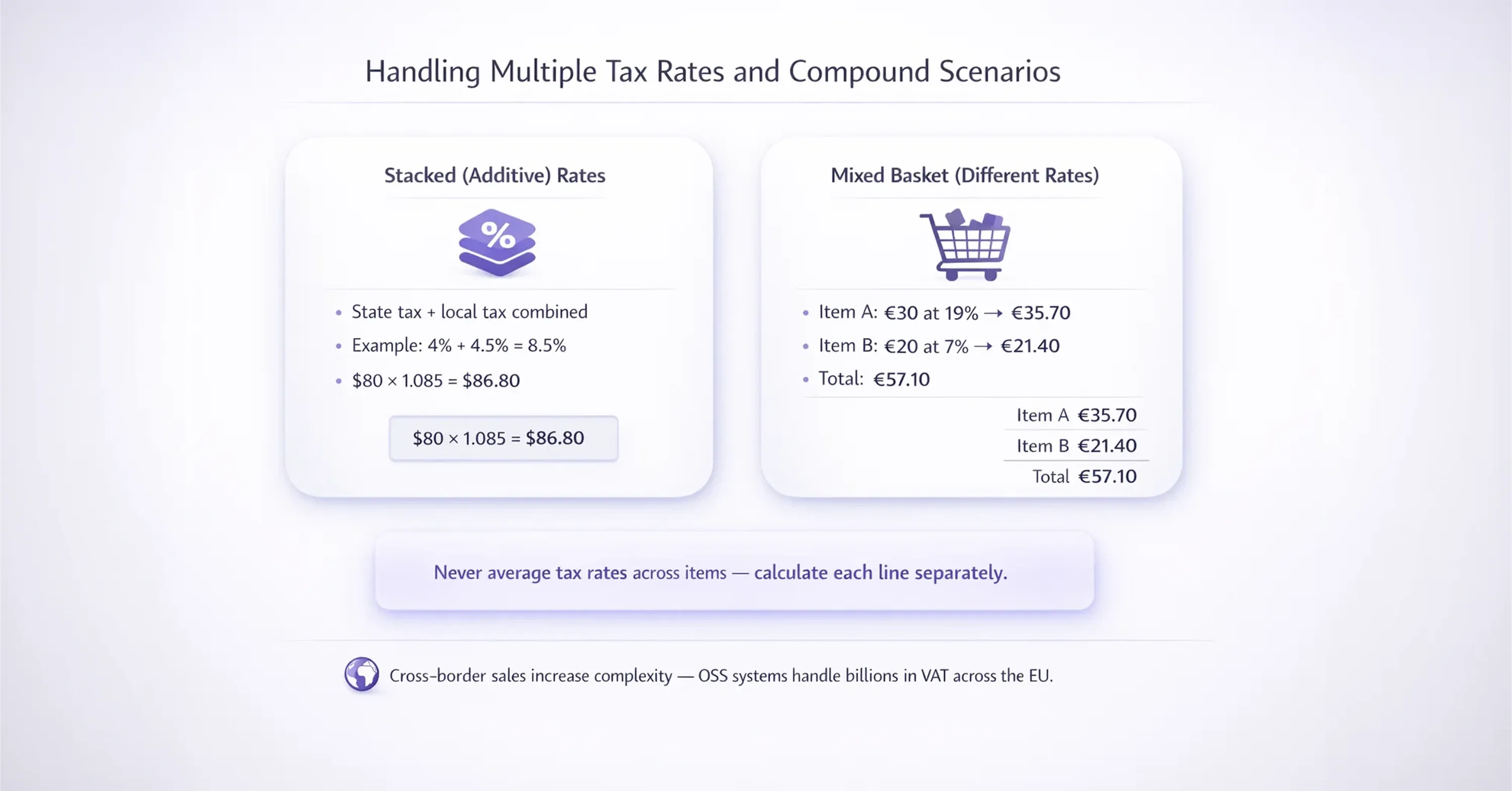
Infographic explaining handling multiple tax rates, including stacked additive tax rates and mixed basket VAT calculations with examples for different item rates and totals.

Not every transaction involves a single tax rate. In some US states, a state sales tax and a local tax stack on top of each other. In the EU, certain goods carry reduced VAT rates while others follow the standard rate.

Stacked (Additive) Rates

When two tax rates apply simultaneously but independently to the same base price, simply add them together before applying the formula.

A product costs $80.00 in New York City, where the state sales tax is 4% and the city tax is 4.5%:

  • Combined rate: 4% + 4.5% = 8.5%

  • Final price: $80.00 × 1.085 = $86.80

Mixed Baskets with Different Rates

If a single order includes items taxed at different rates, calculate each line item separately, then sum the results. A grocery order in Germany might include standard-rated goods at 19% and reduced-rated food items at 7%:

  • Item A (€30.00 at 19%): €30.00 × 1.19 = €35.70

  • Item B (€20.00 at 7%): €20.00 × 1.07 = €21.40

  • Order total: €57.10

Never average the two rates and apply them to the whole basket. That shortcut produces an incorrect tax amount and can trigger discrepancies during a VAT filing.

For a deeper dive into multi-jurisdiction scenarios and dynamic calculation methods, see Global Sales Tax Solutions & VAT Compliance Guide.

The complexity grows when you sell across multiple EU member states. In 2022, EU Member States collected over €17 billion in VAT via the expanded One Stop Shop for intra-EU online sales, and VAT revenues collected via those e-commerce OSS systems increased by 26% over 2021 levels. With almost 130,000 companies registered to use the OSS mechanism by 2022, it's clear that cross-border tax calculation is now a mainstream concern, not a niche one.

Avoid the Most Common Tax Calculation Mistakes

Even with the right formula, errors creep in.

Here are the pitfalls that catch sellers and accountants most often:

  • Applying tax on top of a price that already includes tax. This "tax on tax" error inflates the final price and creates audit headaches.

  • Using the wrong jurisdiction's rate. For EU e-commerce, tax is typically owed at the destination country's rate once you exceed the €10,000 threshold.

  • Rounding too early. Rounding each line item's tax before totaling can produce a sum that's a cent or two off, enough to trigger automated mismatches with tax authority systems.

  • Forgetting rate changes. Tax rates do change. Ireland raised one of its reduced VAT rates in 2023, and the UK periodically updates thresholds.

For more on these issues and a checklist to avoid the biggest compliance pitfalls, explore Determining VAT: mistakes to avoid.

These mistakes contribute to a wider compliance problem. In 2022, the overall EU VAT compliance gap was €89.3 billion, equivalent to 7% of theoretically expected VAT revenues. While fraud accounts for a significant share, simple calculation and filing errors play their part too.

For marketplace sellers juggling multiple countries, rates, and filing deadlines, the margin for error is slim. For step-by-step advice on handling multi-jurisdiction compliance, see Sales Tax Compliance: Key Steps for Your Business.

This is where working with a dedicated VAT compliance provider like 1stopVAT makes a measurable difference. Their team of 40+ certified tax specialists handles VAT registration, compliance, and filing across 100+ countries, giving sellers a single point of contact instead of a patchwork of local advisors.

Put It All Together with a Real-World Example

Let's walk through a complete scenario. You're a UK-based seller listing a product on a German marketplace. The net cost of your item is £40.00, and the German standard VAT rate is 19%.

  1. Convert the net price to euros using the day's exchange rate. Assume £40.00 = €46.00.

  2. Apply the tax price calculator formula: €46.00 × 1.19 = €54.74 (tax-inclusive price displayed to the German buyer).

  3. Tax amount: €54.74 − €46.00 = €8.74.

  4. Report the €8.74 in your German VAT return (or via the OSS filing in your home country).

If managing hundreds of records or multiple channels, see practical tips and workflow examples in Figuring Sales Tax: How to Calculate Correctly.

This single transaction touches currency conversion, a foreign tax rate, and cross-border filing obligations. Multiply it by hundreds of orders a month, and you see why accuracy at the formula level matters so much.

Getting the final price calculator step right at the point of listing protects your margins and keeps you compliant. Partnering with a firm like 1stopVAT for the filing side means you're not just calculating correctly but also reporting correctly across every jurisdiction where you sell.

Conclusion

Calculating the final price with tax starts with one simple principle: know whether your starting number is tax-exclusive or tax-inclusive, then apply the correct formula with the right jurisdiction's rate. That sounds straightforward, but in practice, even small mistakes in tax calculation can lead to undercharging, overcharging, reporting errors, and unnecessary compliance risk.

For businesses selling across multiple regions, tax calculation is not just a pricing task. It is a core part of financial accuracy, customer transparency, and regulatory compliance. The more markets you serve, the more important it becomes to use a reliable tax price calculator, keep rate data up to date, and ensure every invoice, listing, and checkout total reflects the correct amount.

Getting the final price right protects both your margins and your reputation. And when your business operates internationally, pairing accurate calculations with expert VAT and sales tax support can make the difference between staying confidently compliant and constantly fixing avoidable mistakes.

Multiply the net (pre-tax) price by (1 + the tax rate as a decimal). For example, a $100 item with 10% tax: $100 × 1.10 = $110. That $110 is your tax-inclusive price.

Divide the tax-inclusive price by (1 + the tax rate). A €240 price with 20% VAT: €240 ÷ 1.20 = €200 net. The tax portion is €40.

A tax-exclusive price shows the cost before tax is added, common in the US. A tax-inclusive price already contains the tax, which is the standard in the EU, UK, and Australia. The formula you use depends on which price you start with.

No. That's a common mistake. If the price already includes tax, multiplying by the tax rate overstates the tax. You must first divide by (1 + rate) to get the net price, then subtract to find the actual tax component.

Each country sets its own consumption tax rates. EU member states, for instance, have standard VAT rates ranging from 17% (Luxembourg) to 27% (Hungary). Some goods qualify for reduced or zero rates depending on national legislation. Always verify the rate for the specific destination country.

Simple Compliance

Free consultation with 1StopVAT experts

You Might Also Like

Discover more insights and articles

Laptop displaying VAT registration dashboard with international flags including EU, Germany, UK, and USA, representing global tax compliance and cross-border business operations.

Which Company Can Register VAT for My Business Fastest?

Every week you spend waiting for a VAT number is a week you can't legally sell, invoice, or reclaim tax in that market. For marketplace sellers expanding across borders, the question isn't whether to register, it's how quickly you can get it done without errors that cause even longer delays. This article breaks down realistic VAT registration timelines across key markets, explains exactly where and why delays happen, and helps you evaluate what separates a fast, reliable registration provider from one that leaves you stuck in a queue.

Business professional reviewing financial report and invoice while analyzing data on laptop dashboard, representing accounting, bookkeeping, and financial analysis.

Reverse Tax Calculator: How to Work Back from Final Price

You're staring at a receipt, an invoice, or a product listing, and all you see is the final number. But how much of that price is actually tax? If you've ever needed to separate the pre-tax amount from a tax-inclusive total, you're not alone. This guide walks you through exactly how a reverse tax calculator works, step by step. You'll learn the core formula behind VAT reverse calculation, see real-world examples with different tax rates, and understand why getting this right matters for pricing, accounting, and cross-border compliance. Whether you sell on marketplaces or simply want to decode your grocery bill, this is the only breakdown you need.

Laptop displaying EU VAT compliance dashboard with tax reports, European Union flag, and map in the background.

Who Offers Affordable VAT Registration Services in Europe?

If you sell across European borders, you already know the sting: VAT registration fees that quietly eat into your margins before you've shipped a single unit. The real question isn't whether you need VAT compliance, but who can deliver it without draining your budget.

Vehicle purchase agreement document with car keys and pen on desk during car buying process.

Auto Tax Calculator: How to Estimate Vehicle Taxes

Buying a vehicle is exciting, until the tax bill arrives. Whether you're purchasing your first car or adding to a fleet, the final price you pay almost always includes taxes that vary wildly depending on where you live, what you drive, and how you buy it. Knowing how to estimate those taxes before you sign the paperwork can save you from an unpleasant surprise.