

What You’ll Learn and Why It Matters
In the next few minutes, you will learn how a sales and tax calculator works, how to apply the formula behind a total price calculator, and how to calculate the final amount a customer pays once tax is added. The article also explains how to work through real-world examples involving US sales tax and EU VAT, how to combine multiple tax rates using a combined tax calculator approach, and how to avoid common mistakes that lead to rounding issues or inaccurate totals at checkout.
This topic matters because even small tax calculation errors can create larger financial and compliance problems over time. According to the European Commission, European treasuries missed out on €128 billion in legally due VAT in 2023, showing how costly inaccurate reporting and undercalculation can become. Whether you are pricing products for a local retail sale or managing tax calculations across multiple markets, understanding how to calculate tax correctly is essential for maintaining accurate invoices, protecting margins, and building trust with customers. The first step is to identify the correct tax rate, since every later calculation depends on that figure.
What Is a Sales and Tax Calculator?
A sales and tax calculator helps determine the final amount a customer pays after tax is added to the original price. It works by multiplying the subtotal by the applicable tax rate, expressed as a decimal, to calculate the tax due, and then adding that amount back to the subtotal. The basic formula is: Total = Subtotal × (1 + Tax Rate).
For example, if a product costs $100 and the tax rate is 8%, the final total would be $108. This simple method helps shoppers estimate costs and allows businesses to calculate taxes more accurately at checkout or on invoices.
Find the Correct Tax Rate
Before any math happens, you need the rate. That can sound trivial, yet rates move. State legislatures vote. City councils add surcharges. Countries raise VAT by fractions of a percent, nudging the OECD average to 19.3% in 2024.
Begin by confirming three figures:
- The base (state or national) sales tax or VAT.
- Any local, county, or city add-ons.
- Special industry levies such as tourism or liquor taxes.
For example, a retailer in Phoenix faces 5.6 % Arizona state tax plus 2.3 % city tax. Total: 7.9 %. Document those numbers in your worksheet or POS system the moment they change. That single act prevents the bulk of later mistakes.
Accurate rates matter even more for cross-border sellers. EU e-commerce merchants used the new One Stop Shop to pay €17 billion in intra-EU VAT in 2022. Those remittances hinge on country-specific rates that range from 17 % in Luxembourg to 27 % in Hungary. For a tactical, in-depth run-through of U.S. rules and local add-ons, see the US Sales Tax Explained: State-by-State Guide.
Knowing your rate sets the stage for fast math. Next, turn the percentage into a decimal.
Convert the Percentage to a Decimal
Percent means “per hundred,” so the tax rate must be divided by 100 before it can be used in a calculation. This matters because spreadsheets, calculators, and point-of-sale systems work with decimal values, not percentages. A simple conversion ensures the formula returns the correct tax amount and helps avoid basic input mistakes.
- 7.9% → 0.079
- 19% → 0.19
- 0% (tax-exempt) → 0
Once the rate has been converted, it is best to enter the decimal into your spreadsheet once and label it clearly. This keeps calculations consistent and reduces the risk of typing the wrong rate more than once. For businesses selling in multiple jurisdictions, it is even more useful to store rates in a table, similar to the structure used in a combined tax calculator.
Each row should include:
- Jurisdiction name
- Tax rate (%)
- Tax rate (decimal)
This structure allows a formula to pull the correct rate automatically instead of relying on repeated manual entry. As a result, it saves time, reduces keystrokes, and helps prevent lookup errors when tax rates differ by state, city, or country. Once the decimal is ready, you can move on to calculating the tax amount on the subtotal.
Multiply the Subtotal by the Tax Rate
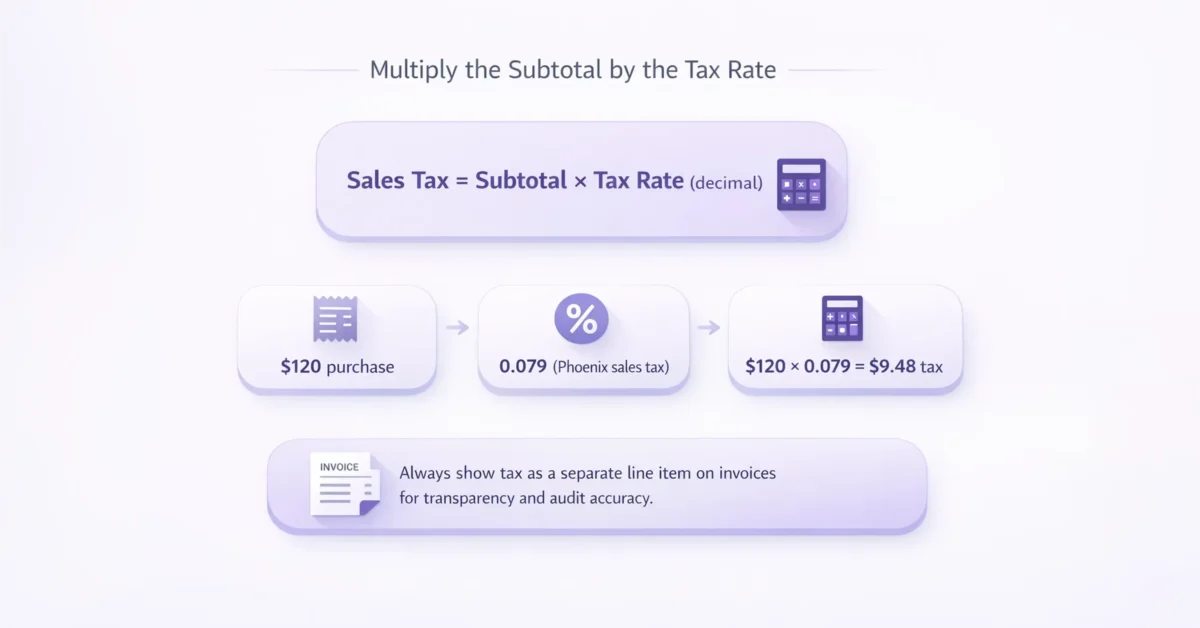
The core formula looks like this:
Sales Tax = Subtotal × Tax Rate (decimal)
This is the basic calculation used in any sales and tax calculator. Once the tax rate has been converted into decimal form, you multiply it by the subtotal to find the exact amount of tax that should be charged. This step is essential because it separates the tax from the product price and makes the final total easier to verify, report, and explain on a receipt or invoice.
Real-world demonstration:
A customer buys $120 of clothing in Phoenix.
- Subtotal: $120
- Tax rate: 0.079
$120 × 0.079 = $9.48 tax
At this stage, the tax should be stored as a separate line item rather than merged into the total. Keeping tax visible improves transparency for customers, reduces disputes when discounts or returns are involved, and creates a cleaner audit trail for accounting and compliance purposes. It also makes it easier to confirm that the correct rate was applied before calculating the final amount payable.
Ready to see the second half of the puzzle? Let’s add the tax to obtain the final payable amount.
Add Tax to the Subtotal for the Grand Total
This step is trivial in code or a spreadsheet, but it is often where mental calculations become less reliable. Even when the tax amount has been calculated correctly, people can still make mistakes when adding it back to the subtotal, especially when working quickly or handling multiple transactions. A small error at this stage can lead to an incorrect final price, which affects customer trust, invoice accuracy, and tax reporting.
Total Price = Subtotal + Sales Tax
Using the example above:
$120 + $9.48 = $129.48
Two quick checks:
- Does the total include pennies that create awkward change? If so, many shops round to the nearest $0.05.
- Does the receipt show both figures? Transparency builds customer trust.
Now that you can produce one final amount, you’re halfway to building a dynamic total price calculator. The complexity rises when you must account for two or more taxes.
Handle Multiple Taxes with a Combined Tax Calculator Mindset
Many sellers face stacked taxes: state, county, city, and even special district levies. The goal is to treat them as one combined rate while keeping a record of each component for reporting.
Start with a short introductory example:
An electronics shop in Chicago deals with 6.25 % Illinois state tax, 1.25 % county tax, and 2.25 % city tax. Combined: 9.75 %.
Steps to automate:
- Sum the percentages: 6.25 + 1.25 + 2.25 = 9.75 %.
- Convert to decimal: 0.0975.
- Apply the same formula from Step 3.
A modern point-of-sale system does this instantly, but so can a simple Excel sheet:
- Column A: Subtotal
- Column B: Combined Rate (decimal)
- Column C: =A2*B2 (tax)
- Column D: =A2+C2 (total)
Because the rates sit in one cell, updates ripple through every formula. That’s essentially a DIY combined tax calculator without paying for extra software.
EU sellers can apply the same concept. If you sell from Germany to a French consumer, the destination principle forces you to apply French VAT. The OSS portal, used by nearly 130,000 businesses by 2022, lets you declare each country’s combined rate in one quarterly return. Pairing that compliance step with the calculation method above keeps the numbers in sync. For a deeper breakdown of automating such processes worldwide, see Global Sales Tax Solutions & VAT Compliance Guide.
Factor in Discounts, Shipping, and Non-Taxable Items
Our next transition covers modifiers that often complicate receipts and make tax calculations less straightforward. A discount changes the taxable base by reducing the amount on which tax is applied, while shipping may or may not be taxable depending on the jurisdiction and the type of goods being sold. In some cases, businesses also need to account for non-taxable items, promotional offers, or partial exemptions, all of which can affect the final amount charged to the customer. That is why it is important to apply each adjustment in the correct order before calculating tax, rather than treating the receipt as a single flat total.
Follow this order:
- Apply coupon or promotional discount to the subtotal.
- Subtract non-taxable items like certain groceries or prescription drugs.
- Add taxable shipping if your state treats it as part of the sale.
- Now multiply by the tax rate.
Numbered workflow:
- Base merchandise: $150
- Coupon: –$30
- Taxable subtotal: $120
- Sales tax (7.9 %): $9.48
- Total: $129.48
Notice how the tax matched our earlier Phoenix example even though the original ticket price differed. Consistent order of operations prevents over- or under-collection. For a step-by-step checklist to avoid missing key compliance steps, check Sales Tax Compliance: Key Steps for Your Business.
Cross-Border VAT? Get Specialist Help
Calculating domestic sales tax feels easy once you attempt EU VAT or UK VAT on distance sales. Rates change, exemptions multiply, and B2B supplies introduce reverse charge rules. That is why many exporters lean on 1stopVAT, a single point of contact whose 40 plus certified specialists handle VAT registration and ongoing filings in over 100 countries. Plugging accurate rates into your calculator is still your job, but the service eliminates guesswork about which rate applies. For practical insights on staying compliant in different international scenarios, consult the article on VAT Compliance for SaaS and Digital Services in the EU.
Conclusion
A reliable sales and tax calculator depends on using the right process every time. Start by finding the correct tax rate, convert it into a decimal, calculate the tax amount, and add it to the subtotal. If discounts, shipping, or multiple taxes apply, make those adjustments in the right order so the final total stays accurate.
This consistency matters because even small mistakes can affect margins, reporting, and customer trust when repeated across many transactions. Whether you are calculating a local sales tax or handling cross-border VAT, a clear method helps you price correctly, issue accurate invoices, and stay compliant. In a market where 23.8% of EU enterprises sold online in 2023, getting the final total right is not optional. It is essential for accurate pricing, smooth tax reporting, and a better customer experience.
Frequently asked questions
Divide the percentage by 100. For example, 8% becomes 0.08. Using the decimal prevents calculation errors and works in any spreadsheet or coding language.
Add the surcharge percentage to your state or national rate, then convert the combined figure to a decimal. Calculate tax once using the merged rate but keep a record of each component for reporting.
No. Some US states and EU countries tax shipping, others do not. Check your local regulations and apply tax only if mandated, otherwise leave shipping out of the taxable subtotal.
A total price calculator outputs the final amount a buyer pays, including all taxes. A combined tax calculator focuses on adding up multiple tax rates into one figure. The two often work together: combine rates first, then compute the total.
You will over-collect tax. Always reduce the subtotal by any discount first, then calculate the tax on the net amount to stay compliant.