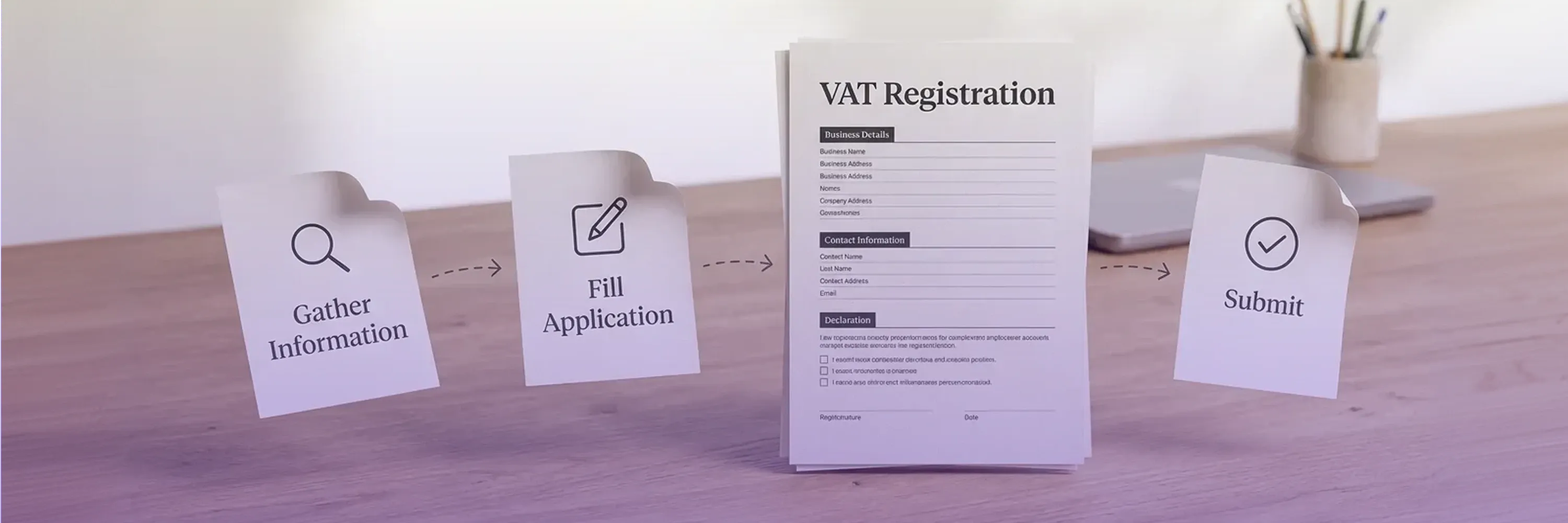
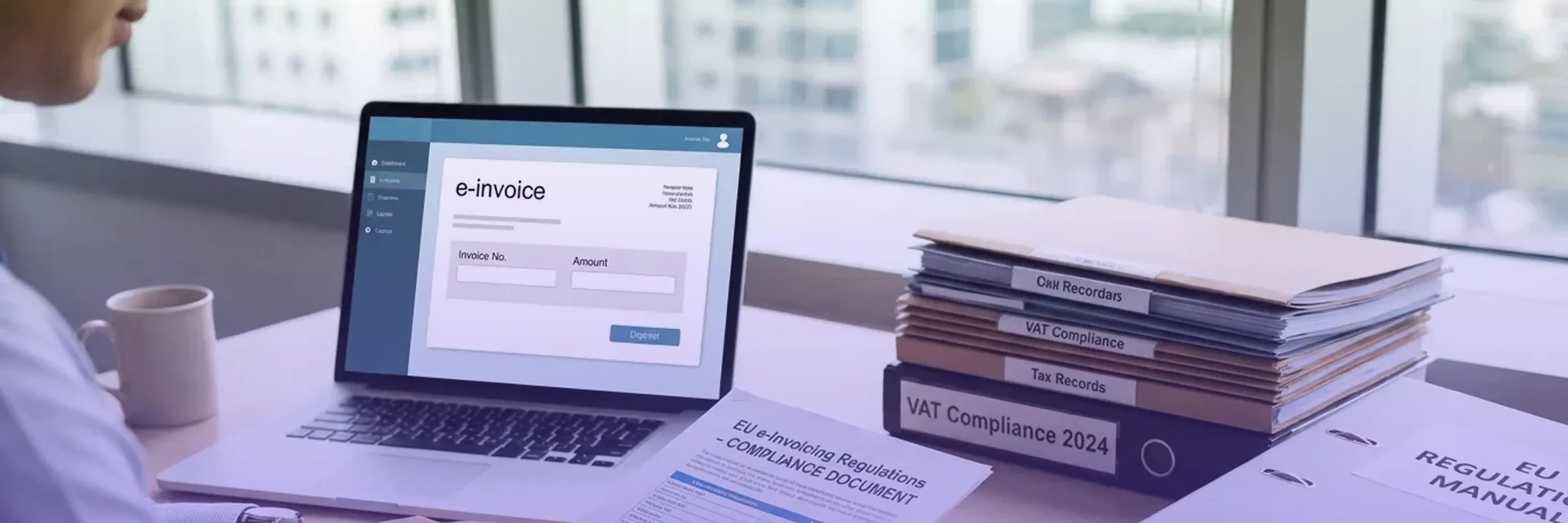
Business professional reviewing invoice with VAT number while verifying tax compliance on a laptop showing VAT validation status

VAT No Lookup: How to Verify VAT Numbers Quickly

You just received an invoice from a new supplier in another EU country, and the VAT number on it looks unfamiliar. Is it real? Can you reclaim the VAT you paid? If that number turns out to be invalid, you could lose your zero-rate exemption and face unexpected tax liabilities.

Content authorBy Beata ČepėPublished onReading time9 min read

What This Guide Covers

Verifying a VAT number is not optional for businesses engaged in cross-border trade. The European Commission makes it clear that any business making intra-EU supplies must be able to check that their customers in another Member State hold a valid VAT identification number. Failing to do so puts your business at financial and legal risk.

This guide walks you through how to perform a VAT no lookup using official tools, what the results mean, how to handle errors, and when you might need professional support. By the end, you'll know exactly how to run a VAT number check in minutes and protect your business from compliance gaps.

What Is a VAT No Lookup?

VAT no lookup is the process of verifying a business's VAT identification number against official government databases, most commonly the EU's VIES system or HMRC's UK checker, to confirm that the number is valid, active, and belongs to a legitimately registered taxable entity.

Why VAT ID Verification Matters More Than You Think

Before jumping into the step-by-step process, it's worth understanding why VAT ID verification carries real weight. It's not just a bureaucratic checkbox.

The EU's VAT system relies on trust between trading partners. When you sell goods or services to a VAT-registered business in another EU country, you can typically apply a zero VAT rate. But that exemption depends entirely on the buyer having a valid VAT number. If the number is fake or deactivated, you're liable for the VAT yourself.

The financial stakes are enormous. The EU's overall VAT gap is estimated at about €134 billion, representing revenue lost through fraud, evasion, and errors. In the UK alone, the tax gap for 2023-24 was 5.3% of total tax receipts, equivalent to £46.8 billion in unpaid tax. A simple VAT number check before each transaction is one of the easiest ways to keep your business on the right side of those numbers.

Beyond compliance, there's a trust factor. Verifying your trading partner's VAT status signals professionalism and due diligence, something that matters when building long-term B2B relationships.

Step 1: Understand What a VAT Number Looks Like

Before you can verify a VAT number, you need to recognize one. Every EU member state issues VAT identification numbers in a specific format, and only tax authorities have the right to issue a VAT registration number. No private company or third-party service can create one.

Here's how VAT numbers are typically structured:

  • Each number starts with a two-letter country code (DE for Germany, FR for France, NL for the Netherlands)

  • The remaining characters are numeric or alphanumeric, depending on the country

  • Length varies: Germany uses 9 digits after "DE," while France uses 11 characters after "FR"

Common Formats by Country

A few examples help illustrate the variety:

  • Germany: DE123456789 (DE + 9 digits)

  • France: FR12345678901 (FR + 11 characters, first two can be letters)

  • Netherlands: NL123456789B01 (NL + 12 characters including a letter)

  • Ireland: IE1234567A (IE + 7 digits + 1-2 letters)

If a number doesn't follow these patterns, that's your first red flag. But format alone doesn't confirm validity. A correctly formatted number could still be expired or deregistered, which is why the next step, running an actual VAT no lookup, is essential.

If you're seeking real-world tips on identifying and sourcing VAT numbers from invoices, websites, or other company documents, see How to Find a VAT Number: Fast & Reliable Methods, which includes practical examples and visual guides.

Step 2: Use the VIES System for Your VAT Number Check

The European Commission provides a free, official tool for VAT ID verification called VIES (VAT Information Exchange System). This is the gold standard for confirming whether a VAT number is active.

Here's how to use it:

  • Go to the VIES portal at ec.europa.eu/taxation_customs/vies

  • Select the member state from the dropdown menu

  • Enter the VAT number without the country prefix (VIES adds it automatically based on your selection)

  • Click "Verify"

Within seconds, VIES returns one of two responses: Valid or Invalid. If valid, it typically displays the registered business name and address. If invalid, the number is either incorrect, deactivated, or not yet in the system.

If you want a clear, illustrated, action-driven walkthrough (with screenshots and troubleshooting tips), check out How to Perform an EU VAT ID Check (VIES Guide).

What to Do With a "Valid" Result

A valid result means the number is currently active in the national VAT database. Save a screenshot or print the confirmation page. This serves as evidence that you performed due diligence, which is important if tax authorities later question your zero-rated transaction.

For a detailed guide on saving printable audit-ready evidence, see How to Find and Verify VAT Vendors.

What to Do With an "Invalid" Result

Don't panic immediately. An invalid result doesn't always mean fraud.

Common reasons include:

  • The number was recently issued and hasn't been uploaded to VIES yet

  • The business recently changed its registration details

  • There's a temporary technical issue with the national database

Contact your trading partner first and ask them to confirm the number. If they can't provide a valid one, reconsider the transaction or apply standard VAT rates to protect yourself.

This distinction matters because, as the European Commission has acknowledged, VAT number databases are not always reliable, and a valid number at the time of query may still reflect outdated information.

Step 3: Verify UK VAT Numbers Separately

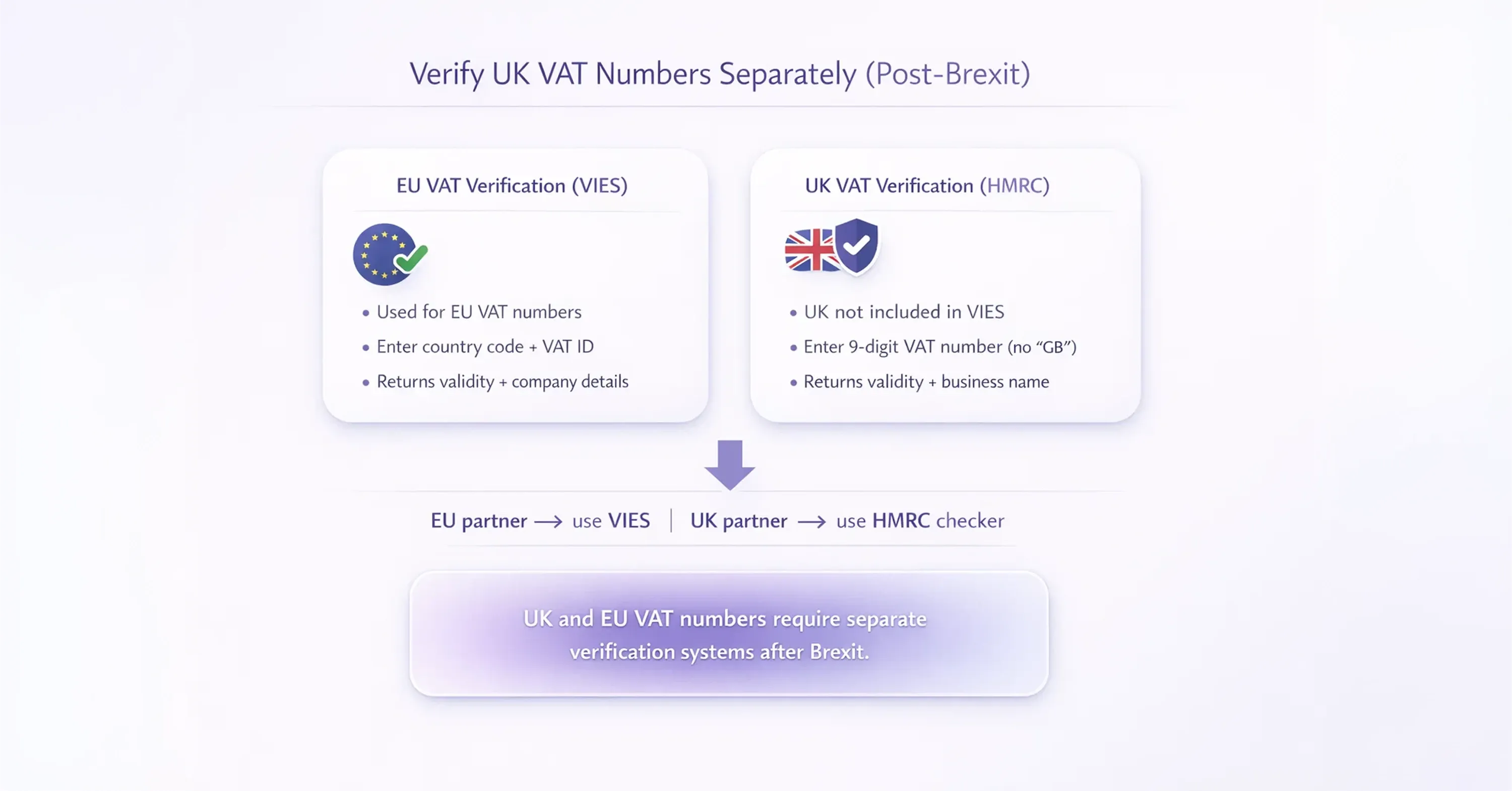
Diagram explaining UK and EU VAT number verification methods after Brexit using VIES for EU and HMRC for UK validation

Since Brexit, UK VAT numbers are no longer included in the VIES system. If you trade with UK-based businesses, you need a different tool. HMRC provides its own VAT number checker at gov.uk/check-uk-vat-number.

The process works similarly:

  • Enter the 9-digit UK VAT number (without the "GB" prefix)

  • The system confirms whether the number is valid and shows the registered business name

For businesses selling into both the EU and the UK, this means running two separate checks depending on where your trading partner is based. It adds a small step, but it's non-negotiable for compliance.

For a comparison of the UK government checker with commercial solutions, and automation strategies, consult Best VAT Number Verification Services for Businesses.

Step 4: Keep Records of Every VAT No Lookup

Running a VAT number check is only half the job. You also need to document it. Tax authorities across Europe can request proof that you verified a customer's VAT status before applying a zero rate.

A solid record should include:

  • The date and time of the verification

  • The VAT number checked

  • The result (valid or invalid)

  • The business name and address returned by VIES or HMRC

  • A screenshot or PDF of the confirmation page

For additional guidance on audit trails, batch validation, and compliance tools, see What is a VAT number and how to verify it.

Many businesses build this into their invoicing workflow, running a quick lookup each time they onboard a new customer or process a high-value order. It takes seconds and can save thousands in disputed VAT.

Step 5: Handle Multi-Country Registrations

Things get more complex when your business, or your customers, operate across several EU countries. Each EU country issues its own VAT number, so businesses selling in multiple EU states typically need multiple VAT registrations, though the One-Stop Shop (OSS) scheme can simplify certain cross-border obligations.

If you're a marketplace seller shipping inventory to warehouses in Germany, France, and Poland, for example, you may need a VAT number in each of those countries. Each number must be verified independently, and each country's tax authority manages its own database.

For practical guidance and when to work with third-party experts, read Top Advisors for Multi-Country VAT Compliance.

This is where managing VAT compliance becomes genuinely demanding. For marketplace sellers juggling multiple registrations and filing deadlines, working with a dedicated compliance partner can make the difference between staying compliant and falling behind. 1stopVAT provides exactly this kind of support, with a team of over 40 certified tax specialists who handle VAT registration, compliance, and filings across 100+ countries from a single point of contact.

Step 6: Automate Checks for High-Volume Transactions

If your business processes dozens or hundreds of cross-border invoices each month, manual VIES lookups become unsustainable. The European Commission offers a VIES API (SOAP-based web service) that lets you integrate VAT ID verification directly into your ERP or invoicing software.

For hands-on advice and automation best practices, see Tax Technology Tools – VAT Compliance Automation.

Key considerations for automated checks:

  • The VIES API is free but has rate limits; plan your query batches accordingly

  • Results should be logged automatically with timestamps for audit trails

  • Build in alerts for invalid results so your team can follow up before processing payment

For businesses scaling across borders, combining automated verification with expert compliance guidance from a provider like 1stopVAT ensures that both the technical checks and the broader filing obligations stay on track.

Conclusion

A VAT no lookup is one of the simplest compliance steps your business can take, but also one of the most important. Whether you use VIES for EU VAT numbers or HMRC’s checker for UK entities, the process takes only seconds and can protect your business from costly VAT errors, rejected exemptions, and unnecessary risk.

The most effective businesses do not treat VAT verification as a one-time check. They build it into their onboarding, invoicing, and recordkeeping processes so that every transaction is supported by clear evidence and every VAT decision can be defended if questioned later.

As cross-border operations grow, that discipline becomes even more valuable. The more countries, customers, and registrations involved, the harder it becomes to manage VAT accurately without a structured process. A simple verification step today can prevent much larger compliance problems tomorrow.

Use the EU's VIES portal at ec.europa.eu/taxation_customs/vies. Select the country, enter the number, and click verify. It's completely free and returns results in seconds. For UK numbers, use HMRC's tool at gov.uk/check-uk-vat-number.

VIES only covers EU member states. For non-EU countries, you'll need to check the relevant national tax authority's website. Some countries, like Norway and Switzerland, offer their own online verification tools. Others may require direct contact with the tax office.

It means the number is either incorrect, deactivated, or not yet registered in the system. It doesn't necessarily indicate fraud. Contact the business to double-check the number, and if the issue persists, consider applying standard VAT to the transaction.

At minimum, verify the number when you first onboard a new customer and periodically after that, especially for ongoing trading relationships. VAT registrations can be revoked, so a number that was valid six months ago may not be valid today.

Yes. Tax authorities can request evidence that you verified a trading partner's VAT status before applying a zero rate. Keep dated screenshots or system logs of every verification, along with the business name and address returned by the tool.

Simple Compliance

Free consultation with 1StopVAT experts

You Might Also Like

Discover more insights and articles

Small business owner managing finances with laptop, calculator, and receipts in a home office workspace

Add Sales Tax Calculator: How to Add Tax to Prices

Every price tag tells only part of the story. Whether you're a consumer budgeting for a purchase or a seller setting final prices, knowing how to add sales tax accurately is the difference between a clean transaction and an unpleasant surprise at checkout. This guide walks you through the exact formula for adding sales tax to any base price, shows you how to use an add sales tax calculator effectively, and covers the real-world scenarios where getting this right matters most. You'll also find tool recommendations, worked examples, and answers to the questions sellers and buyers ask most often.

Business team reviewing global tax compliance report with world map and data dashboard during office meeting

Who Handles Multi-Country VAT Registration and Reporting?

Selling across borders creates VAT complexity fast. Every new country brings a different tax authority, registration process, filing schedule, and local rule. For growing businesses, the challenge is not just understanding VAT. It is managing compliance across multiple markets without missing something important. This article explains why multi-country VAT becomes difficult to manage, what can go wrong when businesses rely on multiple providers, and why a single compliance partner often works better. By the end, you'll know what to look for when choosing support for VAT registration and reporting across borders.

gst-qst-obligations-non-resident-sellers-quebec-threshold-registration

GST QST Calculator: How to Calculate Quebec Sales Taxes

If you sell goods or services in Quebec, you already know the tax math can get confusing fast. Two separate taxes, two separate rates, and a calculation method that trips up even experienced bookkeepers. Getting it wrong means over-charging customers or under-remitting to Revenu Québec, and neither ends well. This guide walks you through exactly how a GST QST calculator works, step by step. You'll learn what each tax is, the current rates, the precise formulas, and how to apply them with real-dollar examples. By the end, you'll be able to calculate Quebec sales taxes confidently, whether you run a corner café in Montréal or an online store shipping into the province.

Professional accountant reviewing financial spreadsheet on laptop in modern office with Canadian flag in background

Mass Sales Tax Calculator: Bulk Tax Calculation for Businesses

A mid-size e-commerce business processing 3,000 orders a month across 12 states does not have a tax knowledge problem. It has a scale problem. The rates and rules already exist. What breaks down is the process around applying them consistently at volume. This guide explains how to build a practical bulk sales tax workflow using spreadsheets, tax software, or both, so your team can calculate tax more accurately, reduce manual effort, and avoid costly errors.