

Overview
You will learn the nuts and bolts of U.S. sales tax, how state differences affect your invoices, and the key steps to remain compliant – from nexus evaluation to proper registration and filing. Because sales tax rates in the U.S. differ not only by state but also by county and city, businesses face a patchwork of obligations that can be difficult to manage without a clear system. This guide provides a practical framework to identify where you owe tax, track rate changes, and implement reliable processes that satisfy auditors while supporting your growth across multiple jurisdictions.
1. Grasp the Basics Before Expanding
State legislators set their own sales tax laws. Local counties and cities can layer additional percentages. Altogether, these pieces make up thousands of rate combinations.
- $444.5 billion in retail sales taxes flowed into state budgets in fiscal year 2022, underscoring the revenue importance and why auditors watch collections closely.
- Consumption taxes contribute less than 20% of total U.S. tax revenue, one of the lowest shares among OECD peers, so states defend every dollar.
Key terms to lock in:
- Nexus: The connection that obligates your business to collect tax for a state.
- Taxable sale: A transaction subject to sales tax, determined by the product or service and the buyer’s location.
- Filing frequency: Monthly, quarterly, or annual return schedules set by each state based on your sales volume.
2. Confirm Where You Have Nexus
Before you can collect and remit sales tax, you need to confirm where your business has nexus – a legal connection with a state that creates a tax obligation. The 2018 Supreme Court case South Dakota v. Wayfair, Inc. reshaped this landscape, giving states the right to require tax collection even from businesses with no physical presence, as long as they cross certain economic thresholds.
Physical nexus (traditional triggers):
- Offices, branches, or corporate locations in the state
- Warehouses or storage facilities
- Remote employees or contractors working in the state
- Inventory stored in third-party fulfillment centers (e.g., Amazon FBA)
Economic nexus (introduced after Wayfair):
- States now set revenue or transaction thresholds that trigger obligations
- Common standards: $100,000 in sales or 200 transactions annually
- Exact thresholds vary by state, so tracking your data is essential
Build your Nexus checklist:
1. Map all shipping origins, FBA warehouses, and remote staff locations. 2. Export revenue and transaction counts by ship-to state for the last trailing 12 months. 3. Compare against each state’s thresholds, updated yearly.
Sales tax isn’t a one-size-fits-all concept. In the U.S., each state has its own distinct sales tax laws, creating a complex patchwork of regulations.
3. Know the State-Level Differences
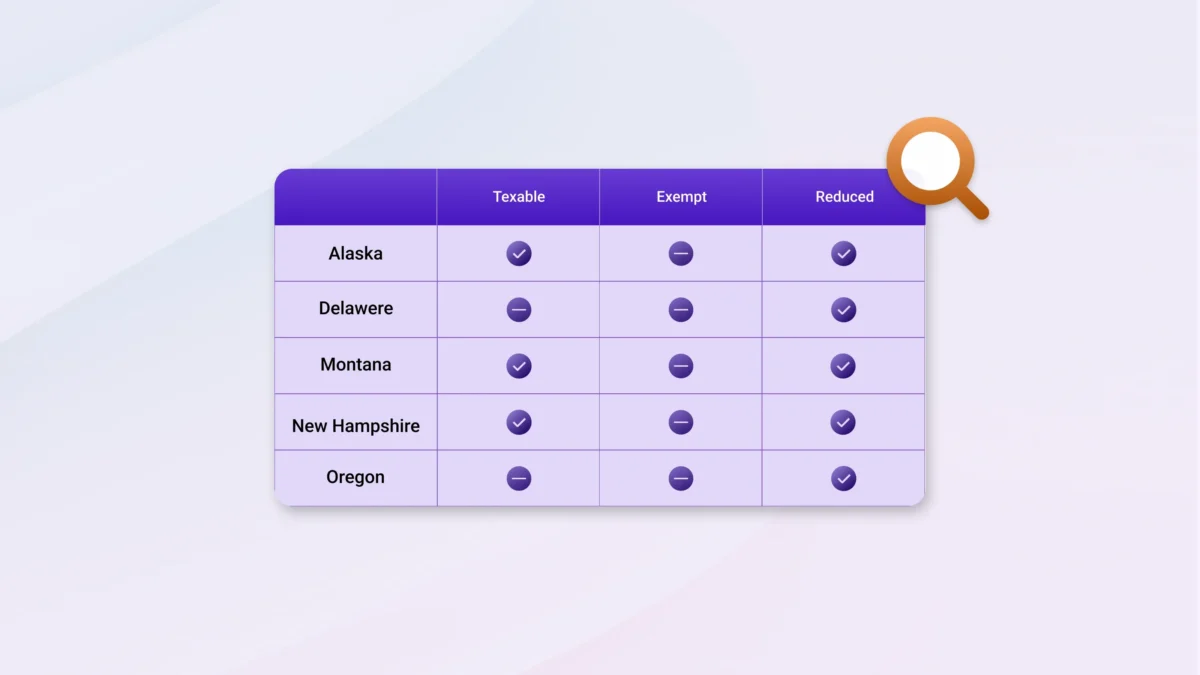
Even among states with a sales tax, the rates and rules vary widely. For instance, some states have high state-level rates, while others have low state rates but allow for significant local add-ons, which can lead to a much higher combined rate. Understanding these state-level differences is the key to accurate compliance.
Not all items are taxable statewide: 45 states and the District of Columbia levy a statewide sales tax, whereas five states, Alaska, Delaware, Montana, New Hampshire, and Oregon, do not. Even among states with a sales tax, the rates and rules vary widely.
Compare critical variables:
- Tax base: groceries, digital products, and SaaS can be exempt in one state and fully taxable in the next.
- Exempt purchasers: resellers, manufacturers, and government entities often provide exemption certificates that you must keep on file.
- Sales tax holidays: time-boxed exemptions on school supplies or energy-efficient appliances.
Pro Tip:
Create a matrix that lists products across the top and states down the side. Mark taxable, exempt, or reduced-rate cells to ensure flawless invoicing logic. Understanding sales tax isn’t just about knowing the big numbers; it’s about navigating the granular details of state-specific rules.
4. Track State Sales Tax USA Rates and Local Add-Ons
Rates change frequently as counties vote on new levies.
- Combine state, county, city, and special district rates for each delivery address.
- Total “sales tax rates US” span from 0 % in the five no-tax states up to double-digit totals in parts of Louisiana and Tennessee.
- After two straight years of declining tax revenue, states entered 2025 with fewer resources than in recent years. This limited their ability to fund priorities like tax cuts, expanded public services, and preparations for a recession.
To better track these changes and leverage technology, dive into our Global Sales Tax Solutions & VAT Compliance Guide
Practical tools:
- State tax department rate tables (free but manual).
- API-based rate engines that pull the correct rate by ZIP+4.
- Batch geo-coding to validate customer addresses before rate lookup.
Once you’ve determined where you need to collect sales tax, the next step is to make it official and keep up with your obligations.
5. Register and File on Time
Once Nexus exists, it is illegal to collect tax without a permit.
Here’s a step-by-step process on registration and compliance across the states
Registration essentials:
- Apply on each state’s portal, then await permit or account number.
- Note separate returns for sales, seller’s use, and local taxes in some states.
- Track effective dates, as late registration can trigger back-tax assessments.
Filing cadence:
- Calendar the due date (often the 20th of the month following the taxable period).
- Automate calendar entries with reminders five days prior.
- If no sales occurred, still submit a zero return to avoid failure-to-file penalties.
After determining your Nexus obligations and registering with the appropriate states, the next crucial step is to handle the sales tax correctly. This involves three key actions: collecting the right amount from your customers, accurately reporting your sales, and remitting the funds to the state.
6. Collect, Report, and Remit Correctly
Miscoding a single tax line can poison an audit sample and cause extrapolated liabilities:
- Configure your ERP or ecommerce platform to apply the correct combined rate.
- Separate sales tax collected from revenue in the chart of accounts.
- Reconcile daily deposits with expected tax liability to spot under-collection early.
Record-keeping must-haves:
- Keep invoices, exemption certificates, and rate tables for a minimum of four years.
- Link exemption certificates to each customer record and flag expiration dates.
- Store electronic records in a searchable format. Auditors may request digital files.
For growing businesses, the final piece of the puzzle isn’t just about coping with the ongoing challenges, but building a foundation for future growth.
7. Streamline Processes Before Scaling Further
When your business starts operating in more U.S. states, handling exemption documentation properly becomes essential – it helps avoid audit risks and ensures you’re compliant.
Key steps:
- Require valid exemption or resale certificates from customers claiming tax-exempt purchases.
- Check each certificate carefully: correct customer name, state, date, signature, type of exemption.
- Track and renew certificates before they expire. Certificates’ validity periods differ by state.
- Keep all certificates in a secure, organized place (digital or physical) so they are readily available if needed.
Conclusion
Managing US sales tax across multiple jurisdictions is a continuous process. You’ll need to determine nexus, understand state differences, track changing sales tax rates US, register promptly, and ensure accurate collection and remittance. This state-by-state framework gives finance teams a clear path to meet U.S. sales tax obligations, expand nationwide sales, and keep compliance risks under control.
Frequently asked questions
Alaska, Delaware, Montana, New Hampshire, and Oregon levy no statewide sales tax. Local jurisdictions in Alaska can still impose local sales taxes.
Compare your trailing 12-month sales revenue and transaction counts against each state’s economic nexus thresholds, typically $100,000 in sales or 200 transactions but sometimes higher. Crossing either threshold creates an obligation to collect and remit tax.
No. Some states treat SaaS as taxable tangible personal property, others exempt it as a service, and several apply tax only if the customer downloads software. Always check each state’s statutes and guidance.
Yes. Most states require a “zero-return” filing to confirm that no tax was collected during the period. Failure to file can still trigger penalties and late notices. Here’s more on the breakdown of penalties and compliance steps.
Collecting tax without the proper registration is illegal. States may force you to return the tax to customers or remit it without credit, and can levy fines for unlicensed collection.