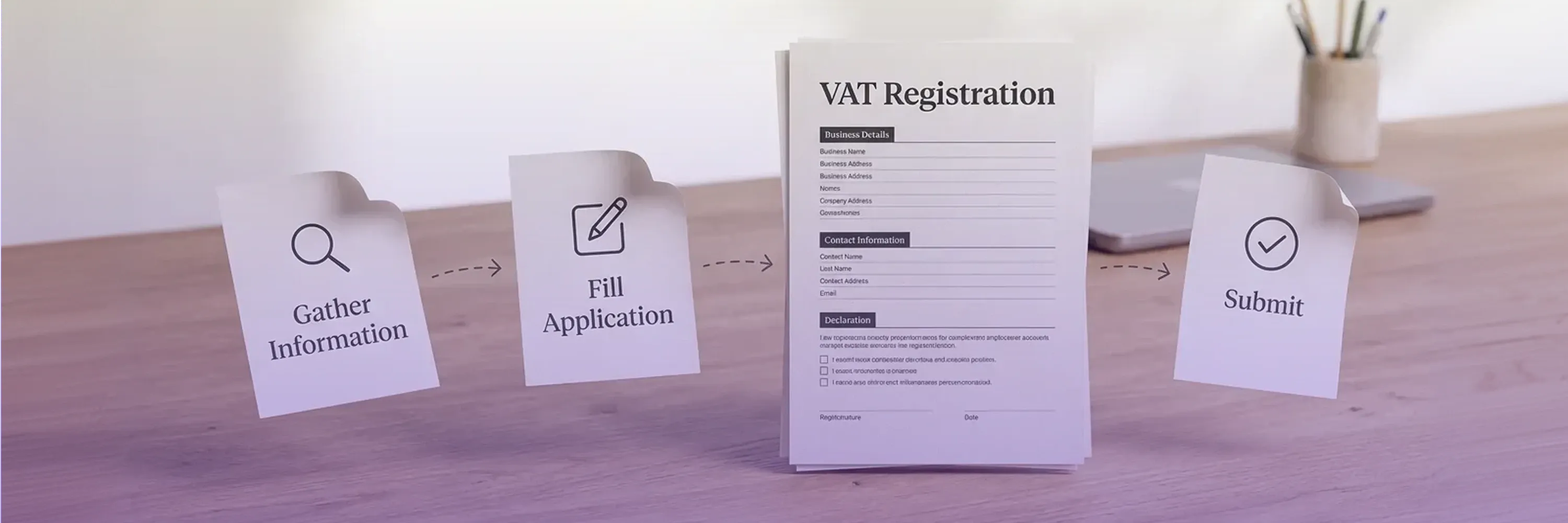
VAT submission statistics chart with 95% submission rate, 92% registration rate, and 88% validation rate showing digital tax compliance performance.

How to Submit VAT Online: A Step-by-Step Guide

Missing a deadline or key figure on your VAT return can mean instant penalties. Worse, fragmented paper processes contribute to the €89.3 billion VAT gap. No wonder most jurisdictions now insist on submitting VAT online.

Content authorBy Rūta ŠvobienėPublished onReading time6 min read

Overview

Our How-to guide will walk CFOs, Finance Managers, and Compliance Officers through everything from registration and login to final transmission.

Today, you will learn:

  • Where to register: HMRC Making Tax Digital, EU OSS/IOSS, and local portals

  • What data and documents are requested by auditors

  • All about online VAT submission

  • Key deadlines, penalties, and staying compliant

  • How to file a VAT return online flawlessly

  • How to file VAT returns online

Before you dive into the submission process, the first and most crucial step is to confirm if you are actually required to submit your VAT return online.

Step 1: Confirm You Are Required to Use Online VAT Submission

Before the online submission process, the first and most crucial step is to confirm if you are required to submit your VAT return online.

Online VAT submission is beyond voluntary commitment for international businesses:

Why comply?

Delays hurt: the 7 % revenue loss claimed in the European Commission report has sparked aggressive VAT enforcement.

Learn more about OSS/IOSS requirements and practical compliance

Checklist

  • Check turnover thresholds in each jurisdiction

  • Verify registration status and VAT numbers

  • Identify any special schemes (e-commerce, margin, flat rate).

You've gathered your necessary documents, so what's next? The next step is to access the online portal and create an account.

Step 2: Register and Log In to the Correct Portal

The next step is to register and log in to the correct portal to access the system and begin the process.

59 % of below-threshold firms claim digital filing lets them prepare returns faster.

I. United Kingdom – HMRC

  1. Sign up for an HMRC Business Tax Account.
  2. Add the VAT service.
  3. Link compatible software or bridging tools.

Making Tax Digital (MTD) is a legal requirement for most UK businesses. This government initiative mandates that you use compatible software to keep digital records and submit your VAT returns directly to HMRC.

A full walkthrough of the VAT return filing requirements

II. European Union (OSS/IOSS)

  1. Access the home country tax portal, then select OSS registration.
  2. Provide distance-selling figures and marketplaces used.

Here’s your in-depth research on how OSS changes affect SaaS and digital services providers

III. Other jurisdictions

  1. Use local e-filing portals or certified software providers.
  2. Forgotten your credentials? Most portals offer two-factor reset. Keep recovery codes in the finance vault.

Now that you've confirmed your online submission requirement and registered with the correct portal, you're ready to tackle the core of the process.

Step 3: Gather the Data and Documents Before Filing

Nothing derails submitting VAT online faster than missing paperwork.

Before you begin filling out the return, gather all the necessary data and documents.

So, make sure to prepare:

  • Sales and purchase invoices (PDF or e-invoices)

  • Imports, reverse-charge transactions, and intra-community supplies

  • Exchange rate evidence for foreign currency sales

  • Adjustments: bad debt relief, partial exemption calculations

  • Proof of payment for previous liabilities.

Digital record keeping matters: 76% of small firms say MTD helped them cut error risk, so store everything in your ERP or a tool like 1stopVAT instead of spreadsheets.

Avoid the pitfalls that have cost other EU businesses dearly. How EU Businesses Lost €159M in Penalties for cautionary tales

Having successfully gathered your data, the next decision is a crucial one: how will you transmit it to HMRC?

Step 4: Choose Your Filing Method - Software or Bridging Tool

This step requires you to choose your filing method, which is typically done through either dedicated accounting software or a bridging tool.

Picking the wrong tool is the biggest hidden cost.

  • Full accounting software (NetSuite, Xero, etc.) – preferred by 54% of UK filers

  • Bridging software exports a VAT-return sheet from Excel, then transmits it through an API; used by another 26%

  • Manual portal entry is still allowed in some EU states.

1stopVAT connects businesses to HMRC and EU OSS

You've gathered your data and chosen your filing method. Now comes the main part of the process: preparing the return itself and running validation checks to ensure accuracy.

Step 5: Prepare the Return and Run Validation Checks
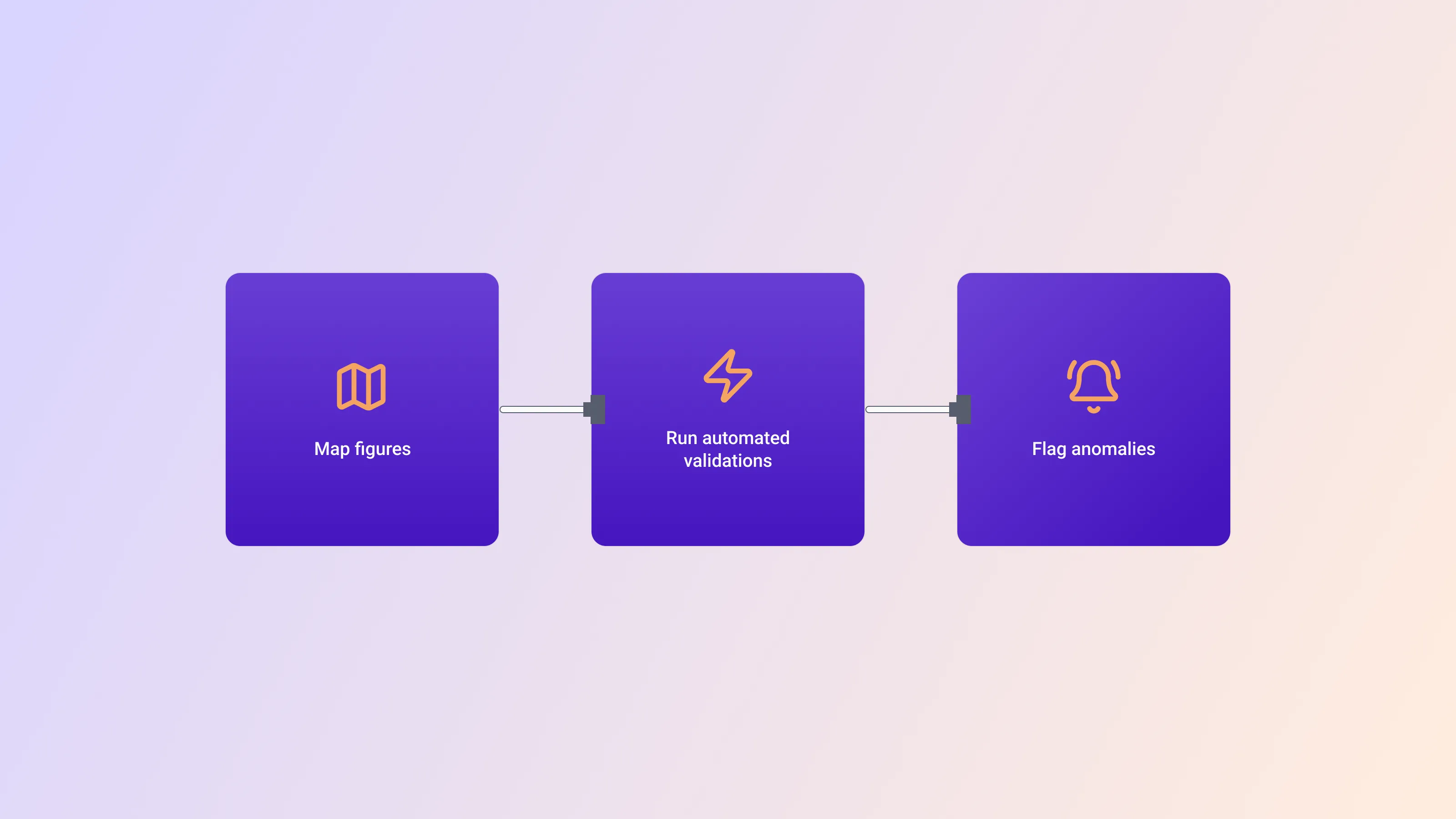
VAT return validation process illustration showing steps to map figures, run automated validations, and flag anomalies for accurate online VAT filing.

This is a critical step to avoid errors that could lead to penalties.

Map figures:

  • Box your sales, purchases, and net VAT payable or reclaimable.

  • Verify MOSS/OSS sales split by destination state.

  • Check reverse-charge fields.

Run automated validations:

  • Compare the current return to the prior period for anomalies.

  • Reconcile VAT control accounts to ledger balance.

  • Flag rates that deviate from standard or reduced VAT.

Time matters: UK businesses saved some 40 million hours in 2022-23 by automating these checks.

VAT compliance lessons from the €200,000 mistake. You've now confirmed your requirement, registered, gathered your data, and prepared your return.

Step 6: File the VAT Return Online

The final step is to file the VAT return online, transmitting all your carefully prepared information to HMRC:

  1. Click “Submit” from within your software or the web portal.
  2. Review the synopsis generated by the tax authority.
  3. Confirm submission; capture the acknowledgment number.

Mistakes to avoid:

  • Submitting the wrong period

  • Using decimals instead of whole currency units

  • Forgetting to include adjustments

If an error slips through, most portals allow resubmission or voluntary disclosure.

You’ve just submitted your VAT return online! However, the process is not over yet.

Step 7: Pay (or Reclaim) and Record the Confirmation

The final, crucial steps are to pay any VAT you owe (or prepare to reclaim a refund) and to record the confirmation of your submission for your records.

Late filing or late payment can trigger surcharges of up to 15 % in some EU countries and HMRC’s new points-based system in the UK.

  • Schedule a bank payment by the deadline

  • Download the acceptance PDF, plus payment reference

  • File documents in your digital VAT folder for audits.

Here’s how to stay penalty-free by duly preparing and filing the VAT return

How to stay ahead of deadlines:

  • Calendar recurring tasks three days before the end of the period
  • Enable portal email alerts
  • Consider direct-debit setups for HMRC.

What does “submitting VAT online” mean?

Submitting VAT online is the process of completing, validating, and transmitting your VAT return through an approved digital portal or API link, and receiving an electronic acknowledgment from the tax authority.

Conclusion

Submitting VAT online is no longer optional for most UK and EU businesses. By enrolling in MTD, choosing compatible software, keeping flawless digital records, and following the nine steps above, you turn tax season from a headache into a routine click. Keep your receipt ID, pay on time, and you are free to focus on growth rather than forms.


Most jurisdictions require quarterly online VAT submission. Some high-turnover businesses must file monthly, and a few allow annual small-business returns. Always make sure to check your local rules.

In almost every EU state and in the UK, paper returns are no longer accepted except for a handful of digitally exempt traders. Everyone else must file VAT return online through approved software or the web portal.

Penalties vary. HMRC uses a points system that escalates to a fine once you collect four points. EU countries charge percentages of unpaid VAT, sometimes up to 15 %, plus interest.

Digital trails help. Automated checks mean fewer arithmetic mistakes, and tax offices receive data instantly. However, you can still be audited if figures look unusual.

Take screenshots of the outage, email the tax authority helpline, and try again later. Most portals log downtime and waive penalties when proof is provided.

Simple Compliance

Free consultation with 1StopVAT experts

You Might Also Like

Discover more insights and articles

A clean flat-lay image showing tax analysis documents, a calculator, and a tablet displaying financial charts, representing modern tax planning and financial reporting

Handling VAT for Digital Services: A Practical Guide

Selling digital products offers an incredible opportunity to scale a business globally without the logistics of shipping physical goods. However, once you cross borders, tax obligations follow you. Learninghow to handle VAT for digital servicesis no longer just a task for large corporations; it is a fundamental requirement for any creator, developer, or SaaS company selling internationally.

The rules for taxing electronic services differ significantly from physical goods, often shifting the tax liability from the seller's location to the customer's location. This guide provides a clear pathway through the regulations, helping you identify your obligations, register correctly, and manage ongoing compliance without disrupting your operations.

A professional workspace showing hands calculating taxes with a calculator, laptop, notebook, and printed tax documents, illustrating business tax planning and financial analysis

Steps to register for sales tax in the US

Every business that ships products or provides taxable services across state lines eventually hits the same wall: you must collect and remit sales tax or risk fines and retroactive assessments. The rules vary by state, but the registration sequence follows a recognizable pattern. This guide walks you through that sequence, flagging the biggest pitfalls and shortcuts, so you spend less time wrestling with bureaucracy and more time selling.

Running a company already devours time. U.S. taxpayers as a whole will spend**7.9 billion hours and $546 billion in compliance costs**this year. Following the steps below will keep your share of those hours from spiraling.

Business professional analyzing tax compliance and financial obligations through a magnifying glass with digital tax and accounting icons

Leading Advisors on EU Invoicing Rules: Stay Compliant

Businesses selling in Europe cannot afford invoicing errors. One missing field or late transmission can trigger penalties, audits, or even shipment holds at the border. That pressure explains why so many companies now turn to leading advisors on EU invoicing rules to interpret fast-moving legislation and design frictionless processes.

EU rules evolve quickly and differ country by country. This article explains what the directives actually demand, shows how advisors reduce risk, ranks the most trusted firms, illustrates typical mistakes, and ends with a hands-on checklist your finance team can start using today.

Business executives shaking hands during a corporate meeting, symbolizing partnership, trust, and business growth strategy

What is a VAT number and how to verify it

A mistyped VAT number looks like a small error but it can freeze cross-border shipments, delay refunds, and trigger tax audits. Understanding what a VAT number is, how it is structured, and how to verify it keeps sales flowing and penalties at bay.

A single narrative runs through this guide: by the time you reach the last paragraph, you will know exactly why VAT numbers matter, what they look like in different countries, and the fastest ways to confirm that any number you receive is valid.